HOME

Tuesday, December 11, 2012

Google Maps lets users explore NASA's 'Black Marble'


Google Maps is now letting users explore Earth's far-reaching lands filled with flickering lights using imagery from NASA and the National Oceanic and Atmospheric Administration's "Black Marble."
The Web giant announced the launch of its own Earth at Night today, which is a global view and animation of the images taken from NASA and NOAA's jointly operated Suomi NPP satellite. These series of images show what the Earth looks like from space once the sun sets.
"It took 312 orbits to get a clear shot of every parcel of Earth's land surface and islands," Google wrote in its description of Earth at Night. "This new data was then mapped over existing Blue Marble imagery of Earth to provide a realistic view of the planet."
NASA and NOAA released the series of nighttime photos last week giving earthlings the clearest view yet of what our illuminated planet looks like after dark. Besides the 312 orbits, NASA and NOAA's project required an extremely powerful Visible Infrared Imaging Radiometer Suite sensor to capture 2.5 terabytes of pictures. The cloudless shots were then compiled and sewn onto the classic "Blue Marble" imagery.
In Google's new interactive map, users can search from continent to continent to see what different countries look like on the Black Marble -- from the Sahara's darkness to New York City's bright glow to the smattering of lights throughout all of India.

Monday, December 10, 2012

Word vulnerability tops Microsoft's targets for Patch Tuesday


A flaw in Microsoft Word ranks among the top security problems addressed by December's Patch Tuesday fixes, closing a hole that allows remotely executing malicious code on targeted machines regardless of whether users open the infected file. The bulletin is one of five marked critical by Microsoft in its advanced notification about vulnerabilities this month, and several security experts say the Word vulnerability is the top priority.
FIRST LOOK: Surface RT 
"In this case we assume the 'critical' rating comes from Outlook, which can be configured to use Word to visualize documents in its preview pane," says Qualys CTO Wolfgang Kandek. "This is an automatic mechanism that does not require user interaction. In any case, this will be an important bulletin to watch out for."
The patch is rated as Important for Word 2003 SP3 and critical for Word 2007 SP2 & 3 and Word 2010 SP1.
This bulletin is similar to one issued earlier this year in that it deals with an issue with rich text format documents that can be parsed in the Outlook Preview Pane, thereby executing the vulnerability, says Alex Horan, a senior product manager with CORE Security .

Sunday, December 9, 2012

Three reasons a Windows 8 laptop leads, MacBook lags


This week Hewlett-Packard offered a few good reasons to consider a Windows 8 laptop over a MacBook.
Those arguments are embodied in an upcoming 3-pound HP EliteBook Revolve business ultrabook "convertible" that was announced this week.
The MacBook Air is a fine design (I use one every day) and the new 13-inch Retina MacBook Pro is an even better design. But the Apple way isn't the only way. Here are three features that the MacBook ain't got.
Built-in 4G: The EliteBook Revolve offers built-in 4G LTE or HSPA+. Wi-Fi-only MacBooks are getting a bit stodgy. It's almost 2013. 4G should at least be optional on a MacBook.
Let's put it this way, if 4G is an option for the iPad, why not for a tiny 2.4-pound MacBook Air? And if HP is including it in an ultrabook like the Revolve, you can bet there's a reason: some of HP's business customers are demanding it.
And sharing plans make it feasible to share 4G data across multiple devices now.
Touch screen: I've said this before and I'll say it again. Touch is de rigueur for any mobile device now. And two years from now, a portable device without a touch screen will be an anachronism. Like a keyboard without a mouse.
Fact is, HP offered a touch-screen tablet long before the iPad. Unfortunately, it was saddled with Windows XP. And HP (and Microsoft) could never see beyond the stylus as an input medium.
Docking station: I used HP docking stations for years (which the Revolve includes). They were a godsend. When you need to pick up and run, it's just a matter of popping the lappy out. No disconnecting and reconnecting cables.
Yeah, there are plenty of third-party docking stations out there, but nothing beats a dock spec'd by the PC maker.And good docking stations (like those from HP) offer every port under the sun. So by plugging into the dock, you get the range of ports typically found only on desktops.
Why? Because the dock's design starts on the laptop: high-speed, well-placed docking connectors must be conceived first on the laptop, then the dock design follows.
Like I said, I like my MacBook -- a lot. But its limitations can feel claustrophobic on days. Especially when compared with some of the emerging Windows 8 competition.
But that's what competition is about. Apple is only one company. The Windows 8 crowd comprises scores of companies with plenty of good ideas of their own.

Saturday, December 8, 2012

Another Apple touch-screen patent in trouble


One of Apple's broad patents covering touch-screen technology is under fire by the U.S. Patent and Trademark Office, following a re-examination.
The USPTO ruled this week that all 20 claims included in the patent are invalid, according to a filing spotted by blog Foss Patents.
The decision, which was handed down Monday, is not final.
It's the second such Apple patent to be deemed completely invalid following a re-examination by the USPTO. A similar decision for an Apple patent covering the company's rubber-banding bounce effect came in late October, and is also subject to an appeal.
Of note, late Apple co-founder Steve Jobs is listed as the chief inventor, along with 24 others, of the touch-related technology listed in U.S. Patent No. 7,479,949. The company filed for the patent in April 2008, and was granted it just nine months later. It was one of three used against Motorola in a recent patent suit, which was tossed out of court last month.
Smack that screen.

Friday, December 7, 2012

Beyond quad-core: What's next for mobile processing power


Remember when a quad-core processor was the ultimate indicator of a super-smartphone? Well its 15 minutes are almost up.
Just as the current run of super-smartphones are destined for the bargain bin in a few months, so too will the novelty and obsession with the number of cores powering a phone begin to fade. Sure, smartphones with the latest quad-core chips still rule now, but companies are already preparing to change the conversation.
In its place, expect chip companies, handset manufacturers, and wireless carriers to shift their marketing away from an emphasis cores and more toward tangible benefits such as a smoother experience, bigger displays with higher-resolution graphics, and better battery life.
"That's the end game for a lot of these semiconductor companies: connect great experiences and long battery life with their chip," said Francis Sideco, an analyst at IHS.
The mobile industry has been making steady progress on the brains found in smartphones. It wasn't that long ago that a 1-gigahertz processor was the high benchmark for a mobile device. Then came the advent of dual-core processors, and this year brought quad-core chips to the mainstream.
The progression made for an easy marketing message to consumers and specification geeks: if two cores are better than one, four has got to be even better. Of course, the truth isn't really that simple, but that doesn't stop everyone in the mobile devices industry, right down to the sales staff, from repeating it as gospel.
The obsession with mobile processors has been a boon to the chip makers, giving added visibility to companies such as Qualcomm and Nvidia. These aren't exactly household names, but they are brands that mean something to gadget enthusiasts, and are often associated with quality. It's no wonder companies such as Qualcomm have spent millions of dollars marketing the Snapdragon processor brand, similar to Intel's own "Intel Inside" campaign for PCs.
But the chip industry is getting to the point where more cores will result in diminishing returns, with most companies agreeing that four will be the limit for a while. That's because few applications and tasks on the phone (or computer) can take advantage of multiple cores and actually get a benefit.
"Quad-core CPUs will have become the standard for mobile devices," said Matt Wuebbling, director of Nvidia's Tegra marketing. "While some may try to move beyond quad-core, we don't believe there will be a perceptible user benefit."
So don't hold your breath for a five or six-core smartphone.
Without the easy sales pitch of more cores, these companies have their work cut out for them when it comes to talking about their chips.
"It's what's keeping their chief marketing officers up at night," Sideco said.

Thursday, December 6, 2012

8 things Microsoft is doing wrong

A few days ago, Tami Reller, Microsoft's chief marketing and financial officer for Windows, announced that the company had sold 40 million Windows 8 licenses since October 26 -- the day the new operating system launched. All puns aside, on the surface that seems pretty impressive, but recent articles by CNET and others indicate a much shakier start for Windows 8and the hardware hinged to it.
On November 29, an article by the New York Times cited poor sales figures for both Windows PCs and tablets from NPD, the retail sales tracking firm, painting "a darker picture of the Windows 8 introduction."
According to NPD, unit sales of Windows PCs in retail stores in the U.S. fell 21 percent in the four-week period of October 21 to November 17 compared with the same period a year ago. And sales of Windows tablets have been "almost nonexistant" (less than 1 percent of all Windows 8 device sales).
Windows 8 was supposed to jump-start sales of PCs, not help them drop off. So what's wrong?
Well, plenty. Microsoft, of course, is a huge company that's flush with cash. It can afford to make mistakes. The 8-figure kind. And making them it is.
With that in mind, I've put together a little "best of" list of Microsoft's faux pas. Feel free to agree or disagree and add your own items to the list (yes, there are more, but I figured eight was enough).

Wednesday, December 5, 2012

Lock and encode your flash drives with BitLocker To Go encryption in Windows 8


Losing your USB flash drive before a big presentation is a terrible way to start a Monday. Losing a drive that also contains valuable personal data or confidential company information will ruin your whole week—and maybe your career. Luckily, Windows users can easily hedge their bets against such disasters by using the free BitLocker To Go utility to quickly encrypt portable drives.
One of the best-kept secrets of Windows 8, BitLocker To Go is the latest incarnation of an encryption tool that's been included with select versions of Windows since Microsoft first introduced BitLocker disk encryption with Vista, way back in 2007. Like most encryption utilities, BitLocker protects your data by making it unreadable or inaccessible without a password or some other form of unique key. To secure the data, BitLocker uses an AES (Advanced Encryption Standard) encryption algorithm with a 128-bit key plus a data-mixing algorithmic function (known as an Elephant diffuser) for disk-related security features not offered by AES alone.
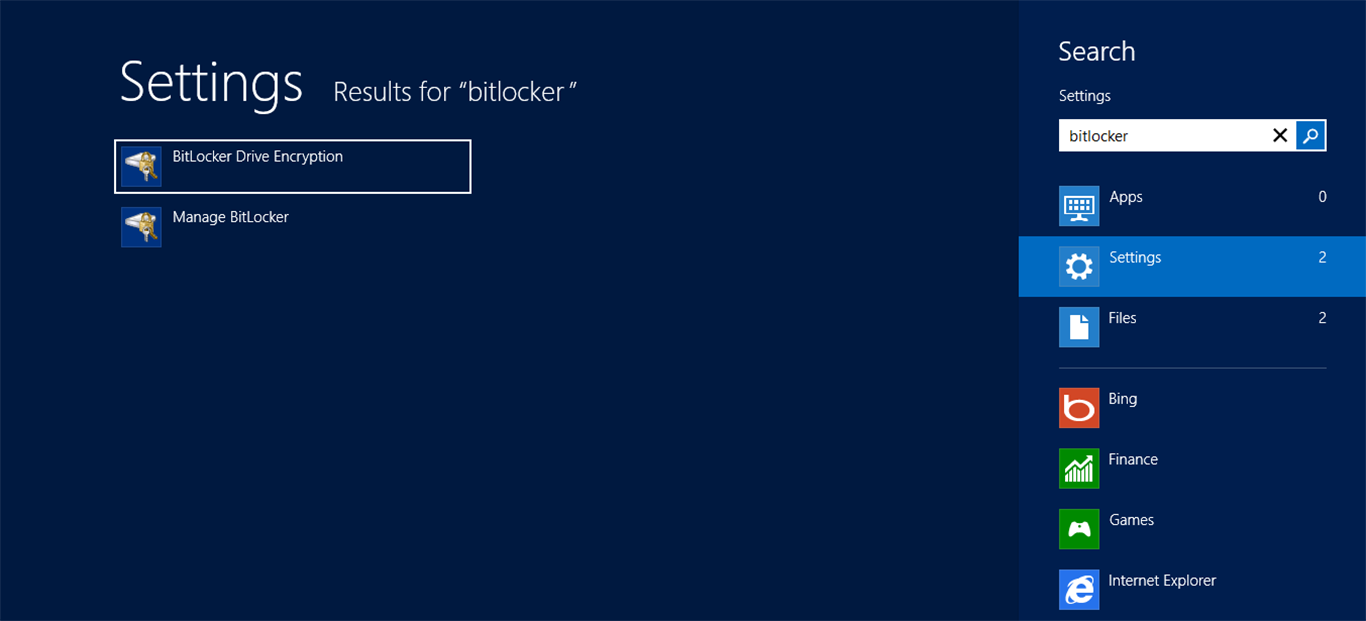
BitLocker To Go can be enabled in the new Windows 8 UI by searching for the feature or via File Explorer while in Desktop mode.
Not only does BitLocker give users the ability to encrypt their OS volume to prevent access to a system and the data stored on it, but a feature called BitLocker To Go (introduced with Windows 7) enables encryption of externally attached portable drives. It uses the same encryption technology, but instead of protecting an OS volume, it’s designed to secure data stored on a portable drive, such as a USB flash or hard-disk drive. And with Windows 8, Microsoft has updated BitLocker To Go with some new features that make it faster and easier to use than ever before.